Raliera


Add a player to a full session
When a session is full, staff can add a player over the limit or hold them a spot on the waitlist, then move them in when a place opens.
Who can do this: The Club Director, and staff the Director has given this job in Team Access.
Add the player
- On the Calendar, click the session to open it.
- Press Add Player and find the player.
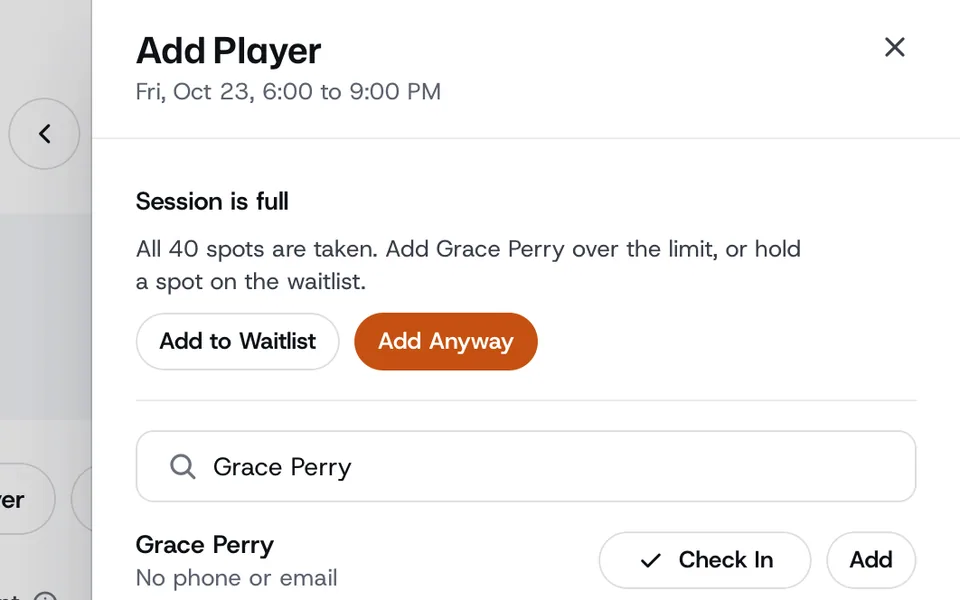
- If every spot is taken, Raliera says Session is full. Choose Add Anyway to add them over the limit, or Add to Waitlist to hold them a spot.
Move someone in from the waitlist
- When anyone is waiting, the session shows a Waitlist tab, with the date and time each player joined.
- Open the player’s menu and choose Move In. They come off the waitlist and into the session.
- Remove from Waitlist takes them off the list.