Raliera


Reply to texts in Chat
Members can text your club’s number, and the desk reads and replies in Chat. Start a new text to any player, and see when someone has opted out.
Who can do this: The Club Director, and staff with Texts and app messages turned on in Team Access.
Raliera sets up your club’s texting number with you. Until it is ready, a text you send shows that texting isn’t set up for your club yet.
Reply to a member
- Choose Chat in the sidebar, then the Messages tab.
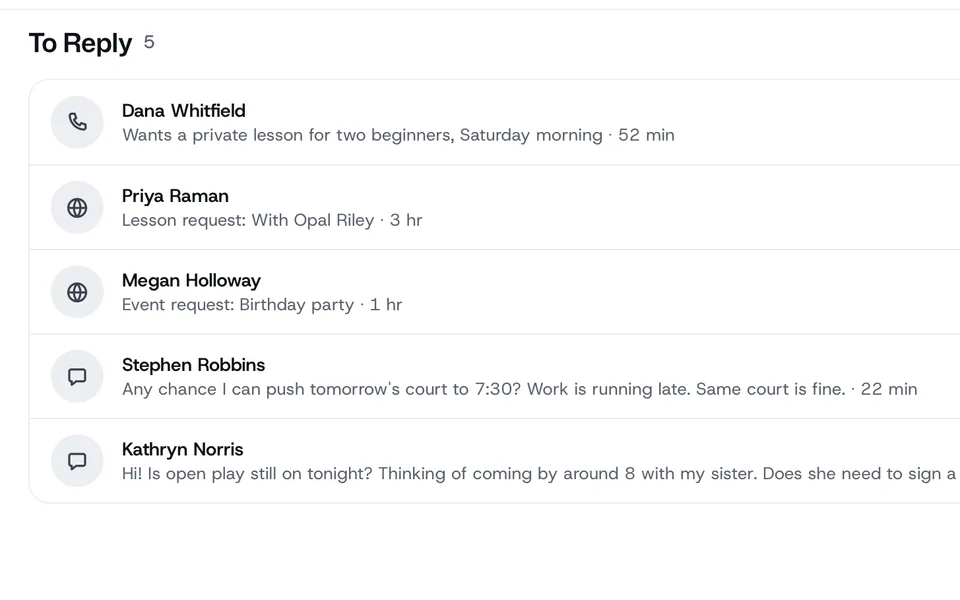
- To reply lists conversations waiting on the club. Open one.
- Choose Reply, type your text and press send.
- Choose Done when the conversation needs nothing more.
To leave a message for your team that the member never sees, choose Note instead of Reply.
Start a new text
- At the top of Chat, press New Message.
- Under To, type the player’s name or a phone number, write the Message, and press Send.
When a member has opted out
If a member texts STOP, the message under your reply says it was not sent. They need to text START before they can get texts from the club again.